
sqanit Is Now a Zebra Technologies ISV Partner

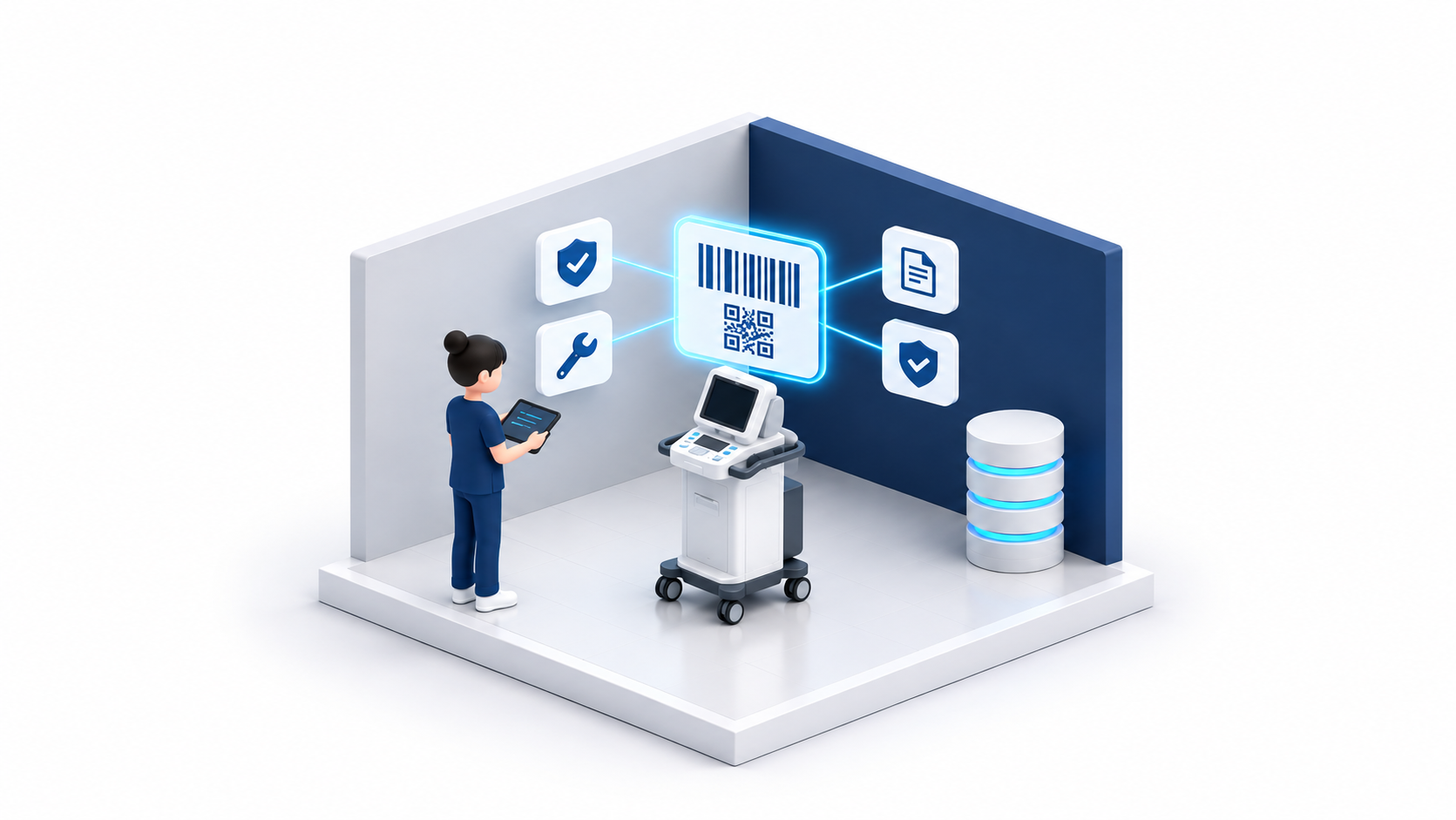
sqanit is an ISV partner of Zebra Technologies. Hospitals can use the Zebra scanners and mobile computers they already carry to scan a medical device and open its record in the browser: documentation, troubleshooting and fault reporting, with no app or login. The same scan-to-service flow can also support industrial equipment in warehouses, workshops and logistics operations.

sqanit Is Now a Zebra Technologies ISV Partner

sqanit is an ISV partner of Zebra Technologies. Hospital staff already carry Zebra scanners and mobile computers for medication, specimens and patient wristbands. With sqanit, the same mobile computers can scan the code on a piece of medical equipment and open its record in the browser: the documentation for that model, troubleshooting, and a way to report a problem. Nobody has to install an app or log in.

For medical device manufacturers this means their equipment can be supported where the questions actually come up, on the ward, in the lab or in theatre, using hardware the hospital has already bought.

Why start with a scan

When a device in a hospital misbehaves, the first question is which device it is. Service needs the model, the version, the serial number, the site and the contract. When those details are missing, service calls start with clarifying questions and problem reports wait for a follow-up before anyone can act.

Many devices already carry a code that identifies at least the model, and often the unit. EU and US UDI rules require a machine-readable identifier on the label of many medical devices (we covered the EUDAMED side of this separately), and some manufacturers add a QR code built on the GS1 Digital Link standard, which turns the identifier into a web address. Site and contract are not in the code. They come from the record the code points to, and that record is what sqanit provides.

Nurses already scan all day, for drugs, samples and wristbands. Asking them to install one more app for the equipment does not work. If the device in their pocket opens the right page for the pump in front of them, they have a reason to use it.

Julian Sotek, sqanit

What happens after the scan

A nurse, a clinical engineer or a lab technician scans the code on a device. If the code is specific to the unit and linked to its sqanit record, the scan opens that unit's page in the browser. It shows the documentation for that model and version instead of a folder of PDFs, troubleshooting steps for the common problems, and a button to report a fault. The report goes to the manufacturer's service team with the device identity already attached, so they know which unit it is before they pick up the phone.

Because it is a web page, there is no app to install on the device. That matters in hospitals, where software on shared devices usually needs IT approval and staff already juggle many logins.

For the manufacturer, every scan and every fault report is linked to a unit and adds to the picture of the installed base. We wrote about the same idea from the product data side in what a digital product passport is good for beyond compliance.

What the partnership changes

Through the partnership, sqanit is available on the Zebra mobile computers that hospitals already have in use. Because a scan simply opens a web page, a hospital does not need new hardware or a new app to start, and staff scan with the device they already carry. Classic handheld scanners without a screen can pass the code to a connected PC that is set up to open the matching page.

As an ISV partner, sqanit also works with Zebra's teams to bring device scanning to manufacturers and hospitals that already use Zebra hardware. If the hospitals you sell to use Zebra scanners or mobile computers, your equipment can be supported through devices that are already on the ward.

Beyond the hospital

Zebra hardware is just as common outside healthcare, in warehouses, distribution centres, workshops and on production lines. A forklift, a conveyor, a diagnostic tester in an automotive workshop or a machine in a logistics hub needs documentation, help when it fails and a clean way to report a fault. Where staff already carry Zebra mobile computers, those can open the same pages.

Medical technology is where most of our customers are today, and it is where we started. Zebra's automotive and logistics teams asked about the same scan-to-service flow for industrial equipment, and we have offered follow-up sessions to explore how it could apply there. These are early conversations, not running projects.

Talk to us

If you make medical devices and want to see what a scan of your device could open, or you run a hospital with Zebra hardware and want to try it, get in touch.

FAQs

Frequently asked questions.

01.

What does it mean that sqanit is a Zebra ISV partner?

sqanit is registered in Zebra Technologies' partner programme for independent software vendors. sqanit works with Zebra's teams so that scanning a medical device with Zebra hardware opens that device's record in sqanit.

02.

What happens when a medical device is scanned?

If the code is specific to the unit and linked to its sqanit record, the scan opens a web page for that unit with documentation, troubleshooting and a way to report a problem. The report carries the device identity, so the manufacturer's service team knows which unit is affected.

03.

Do hospital staff need an app or an account?

No. The device page opens in the browser, with nothing to install and no login.

04.

Does this only work in hospitals?

No. sqanit runs in the browser, so it works on Zebra mobile computers wherever they are used. Medical technology is our main market. Zebra's automotive and logistics teams have asked about the same flow for industrial equipment, and we are exploring it with them.

05.

Does sqanit create UDIs?

No. The manufacturer assigns the device identifier. sqanit reads the existing code, for example a QR code following GS1 Digital Link, and makes it lead to useful information.